The dates
Google's schedule for Gems in the Gemini app:
- 13 October 2026: skills started rolling out in the Gemini app. You can make and use both Gems and skills.
- 17 November 2026: Gems move to the Gemini app's Settings, for everyone. You can still make, edit and use them there.
- November 2026, for personal Google accounts: Google's help says Gems turn into skills that month.
- No sooner than 1 March 2027, for business, enterprise and non-profit accounts: Gems can't be made, edited or used, and they leave Settings.
- No sooner than 1 June 2027, for education accounts: the same, and Gems leave Google Classroom too.
When Gems are removed, Google turns any still left into skills automatically, with the files skills support. You then check each one and switch it on before you use or share it.
Sources: Gems migration (Google Workspace), Gems to skills (Google Help) and Google Workspace Updates, 30 September 2026, updated 13 October 2026. Checked 23 October 2026.
What moves where
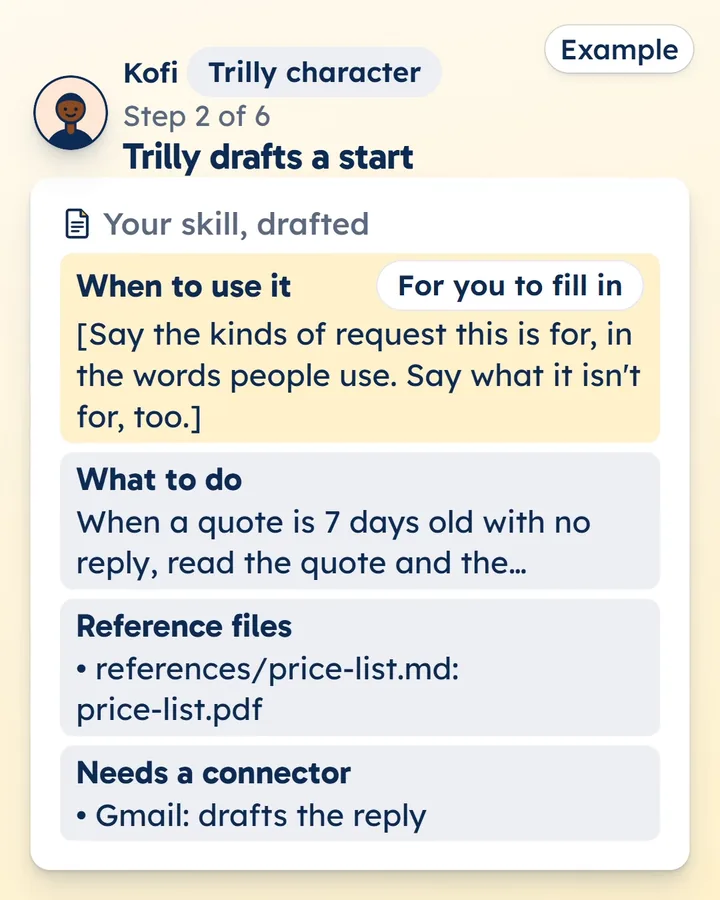
- Instructions become the skill's steps, in its SKILL.md file.
- Knowledge files become reference files: files inside the skill that your AI reads when the job needs them. Keep them as text, Markdown, CSV or PDF files: the Gemini app doesn't take Word or Excel files in a skill.
- Other apps or services a Gem reached need a connector in a skill, since a skill can't reach them by itself.
Move it with Trilly
- In Gemini on your computer, open the sidebar, choose Gems, and click Edit next to your Gem. Copy its name, description and instructions, and note its knowledge files.
- Paste them into Trilly's converter. It drafts the skill from a template: no AI reads what you paste, and nothing is kept.
- Replace the lines in square brackets, and paste each knowledge file's text into its file under references/. Fix anything the checks point out.
- Download the .zip. Add it to Trilly to keep it private for your team or to publish it, or add it to your AI yourself.
Add it to your AI
The Gemini guide has the steps to add a skill to the Gemini app. Google says skills there need no paid plan and can be up to 100 MB, and 100 can be switched on at once. Skills in the Gemini app and in Workspace apps don't sync, so add it to each.
The same skill is ready to add to Claude and ChatGPT, with steps for each. Try it in each app before you rely on it there.
Sources: Google's help on skills in the Gemini app, Gems to skills and Google Workspace Updates (above). Checked 23 October 2026.
Google's own way
Google's help shows how to make a Gem into a skill by hand: Gems to skills. Moving it with Trilly gives you one skill folder you can add to Gemini, Claude and ChatGPT. Add it to Trilly and it's checked before it's listed, then kept private for your team or listed for everyone.